Smart Closet Lighting That Turns On Automatically When You Open the Doors
Every time you open a closet door and fumble for the light switch, you lose a few seconds and a little patience. Multiply that across a morning routine and it adds up fast. The fix is straightforward: lights that turn on the moment the door opens, then shut off on their own.
There are a few ways to get there, from a dead-simple RF contact switch kit to a full Home Assistant closet automation built around a Zigbee contact sensor. This guide covers both paths, plus what to do when your closet has no outlet at all.
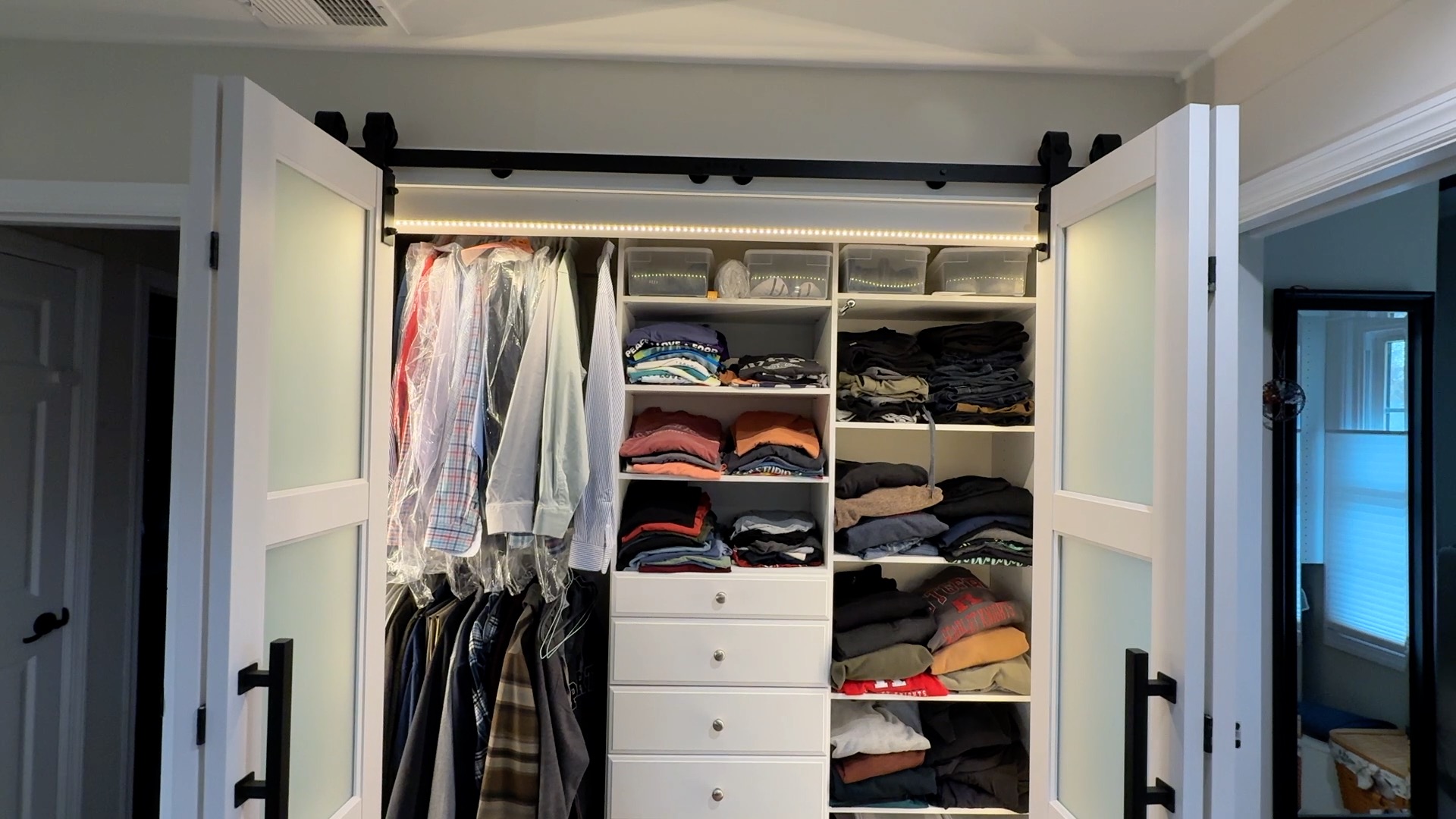
This video shows how I installed bifold barn doors on a closet with automated lights:
Why Automatic Closet Lighting Is a Game Changer
Automatic closet lighting does more than save a step. It makes the space easier and safer to use, especially early in the morning or when your hands are full. If you are carrying laundry, pulling shoes from a low shelf, or matching dark socks to a navy shirt, instant light helps you see clearly without juggling for a switch.

That small change has real benefits:
- Safer footing. You can spot shoes, bags, or storage bins near the floor.
- Better visibility. Deep shelves and back corners stop becoming dead space.
- Fewer lights left on. Auto-off helps avoid hours of wasted runtime.
It also makes a closet feel more usable day to day, not just more high-tech. In the next section, we will look at the two main ways to build it: a simple closet lights door sensor setup, or a smarter Zigbee and Home Assistant route.
Two Ways to Do It: Motion Sensors vs. Contact Sensors
Your trigger choice decides how the lights feel day to day. In most closets, you will choose between a motion sensor and a contact sensor on the door.
Motion sensors
A motion sensor sits inside the closet and turns the light on when it sees movement. It is a good fit for closets with sliding doors, curtain openings, or any spot where mounting a sensor on the door is awkward. You also do not have to line up two sensor pieces on a door and frame.
The tradeoff is behavior. Some motion sensors have a slight delay before the light comes on. They can also leave the light on longer than you want after you walk away.
Contact sensors
A closet lights door sensor mounts one piece on the door and one on the frame. When the door opens and the pieces separate, the sensor detects that change and turns the light on. When the door closes, it can turn the light off right away.
That makes automatic closet lighting feel more exact. A Zigbee contact sensor closet setup paired with Home Assistant gives you two useful extras: a five-second shutoff delay, and the option to skip the automation during early morning hours so the light does not flare on near a sleeping partner.
The No-Smart-Home Option: RF Contact Switch and Smart Plug
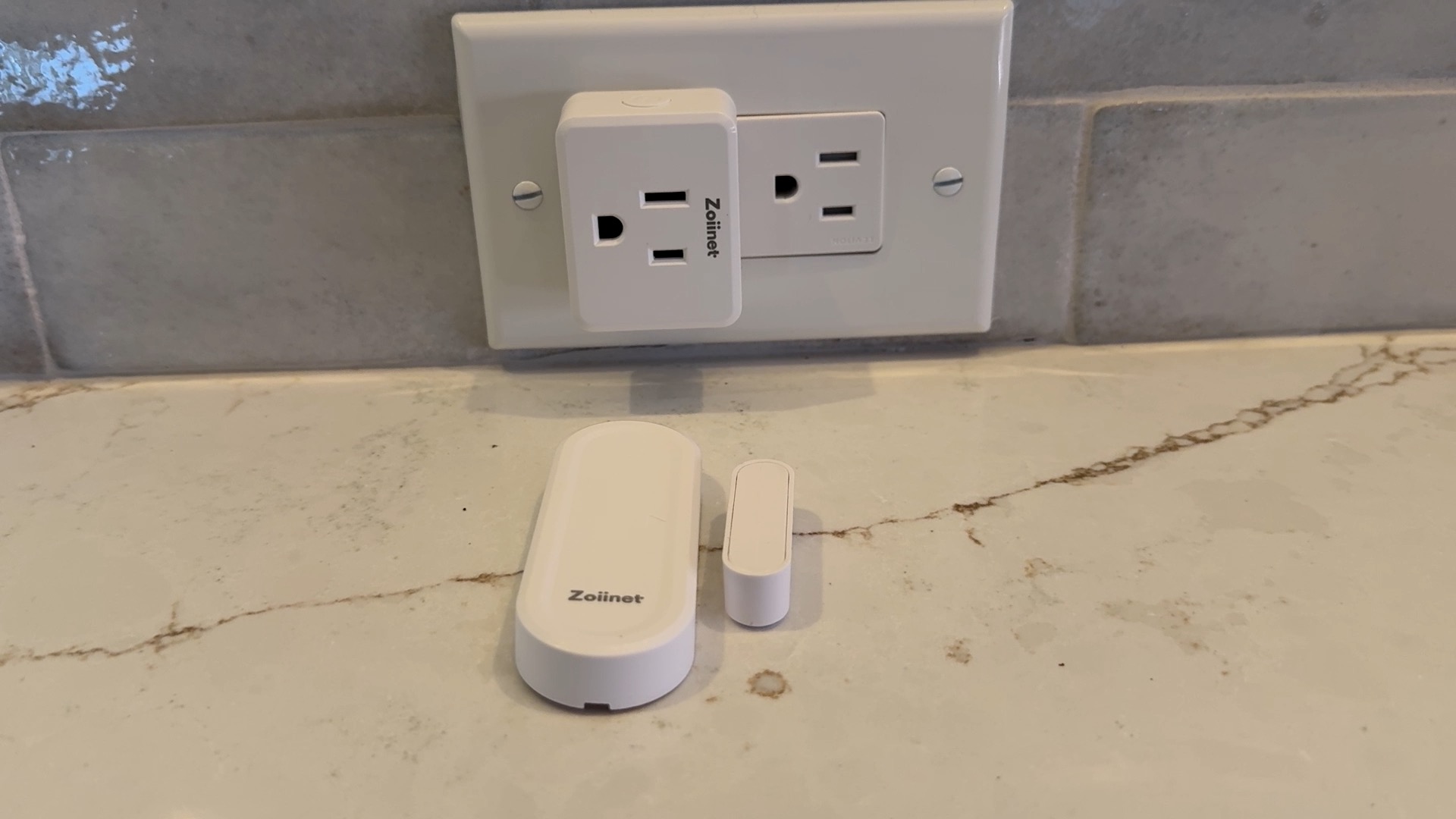
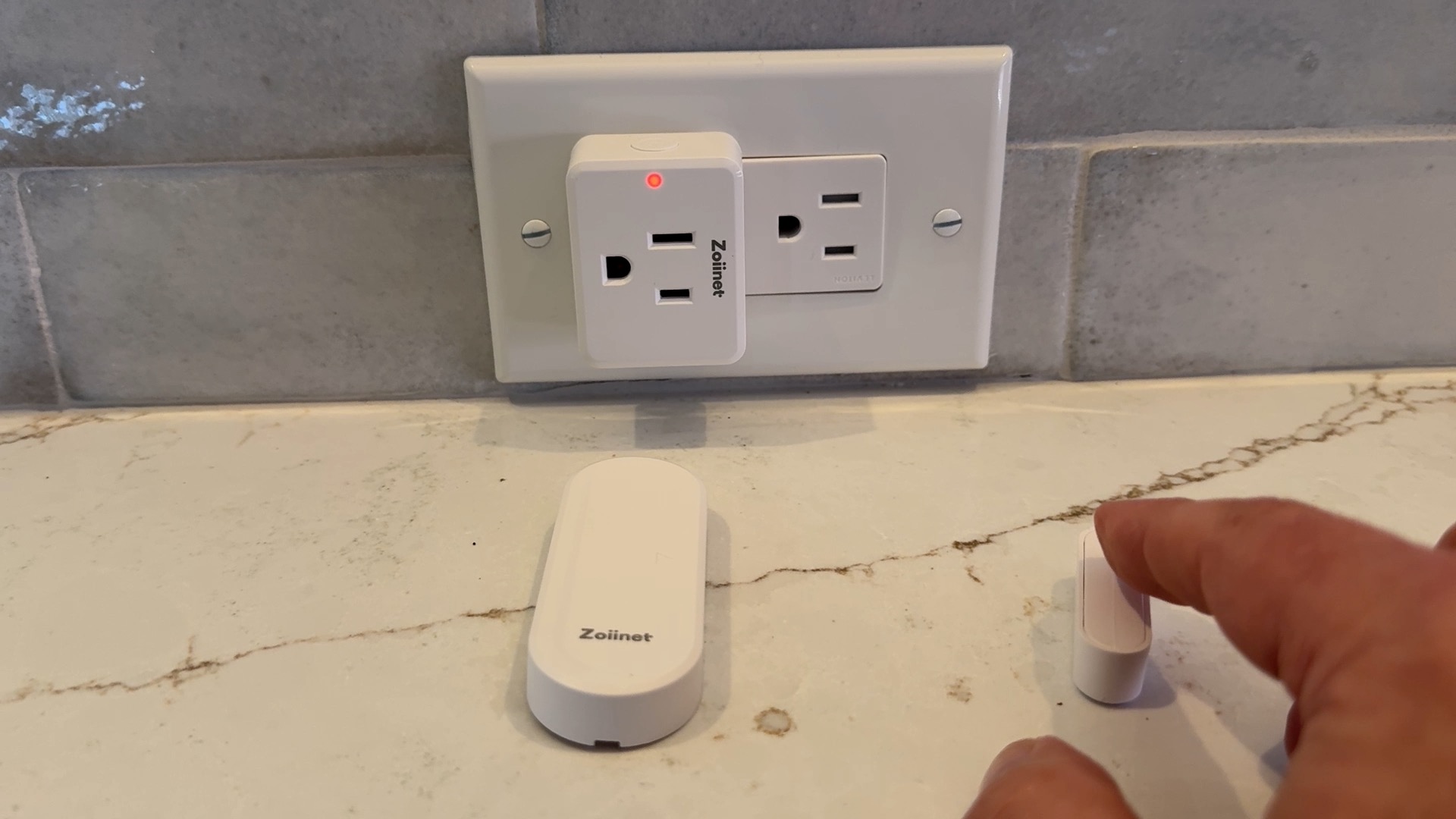
Want the simplest path? Use an RF contact switch kit that comes with a matching RF receiver plug. It gives you automatic closet lighting without a hub, app, or Wi-Fi setup.
How it works
The contact switch mounts on the door and frame like any closet lights door sensor. When the door opens, the two pieces separate and the switch sends an RF signal to the receiver plug. That plug turns power on to your light. When the door closes, it sends the off command.
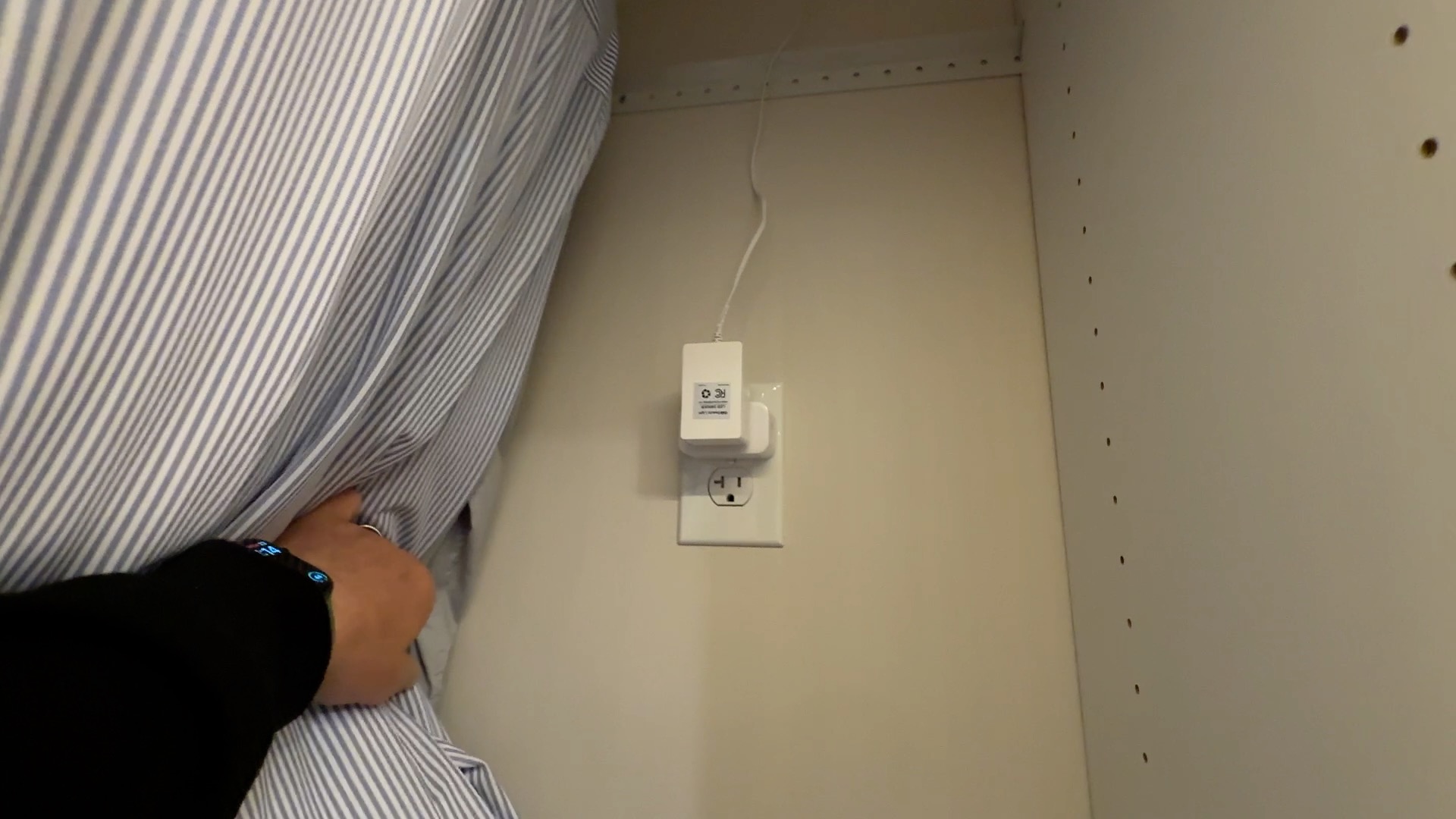
A practical example: plug a short LED strip power supply, or a plug-in LED bar light, into the RF receiver plug. Put the outlet inside the closet if you have one. If not, an outlet just outside the closet can also work, as long as you route the cord along the frame or baseboard so it stays out of the way and does not get pinched by the door.
Before you buy
Make sure the contact switch and receiver plug are sold as a matched pair, or at least use the same RF frequency and are meant to work together. An ordinary smart plug setup is not the same thing if the plug expects Wi-Fi or a smart hub.
What you give up
The tradeoff is control. You usually cannot:
- set a quiet window for early mornings
- add a shutoff delay
- check door status remotely
- trigger another action, like a hall light
The Home Assistant Setup: Zigbee Sensor, Smart Plug, and LED Strip Lights
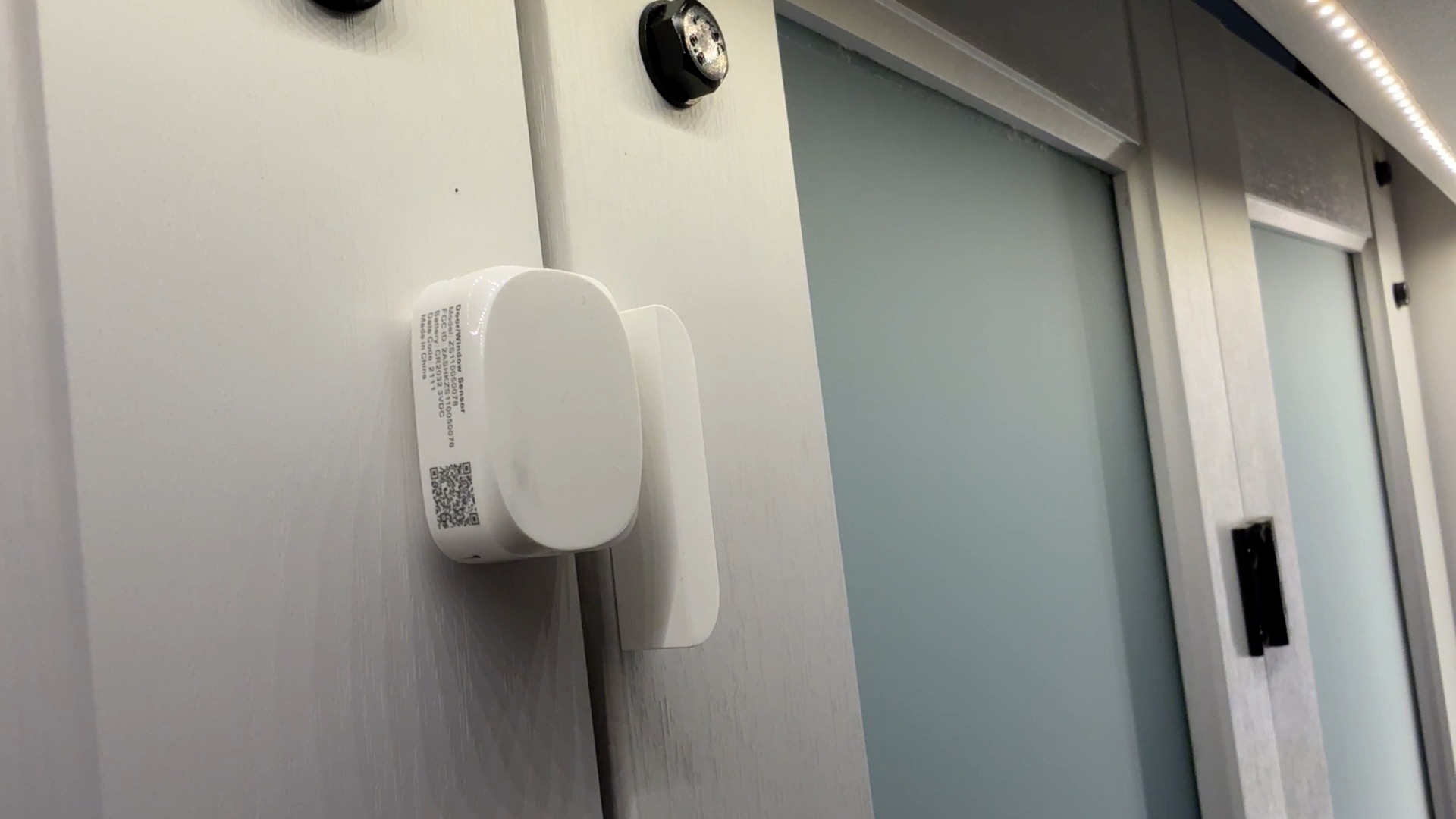
For a cleaner smart setup, pair a Zigbee contact sensor with a Zigbee smart plug and plug-in LED lighting kit. Home Assistant can handle the logic so the light will turn on when the door opens and turn off when it closes.
Hardware that works well
Mount the contact sensor on the frame and the magnet on the door, just like any closet lights door sensor setup. When the door opens, the sensor tells Home Assistant the door is open. That signal becomes your trigger.
For the light, use LED strip lights instead of a single bulb or puck light. A good layout is:
- one strip along the top front edge
- one strip down one side panel
That gives bright, even light across hanging clothes, shelves, and the back wall. It also cuts shadows better than a single overhead light. Plug the LED strip power supply into a smart plug. In this setup, the smart plug door open light behavior comes from Home Assistant turning that plug on and off.
Simple automation flow
Keep the rule easy to scan:
- Door opens: turn the smart plug on
- Door closes: turn the smart plug off after a short delay
That short delay matters. For example, if you crack the door, grab a sweater, and close it again, the light will stay on long enough that you are not left in the dark mid-reach.
A small placement tip: if your closet has double doors, put the sensor on the door you open most often. If you usually open both, place the light strips so the side strip sits on the hinge side, where shadows tend to be strongest.
If you want closet automation but do not have a usable outlet, skip the smart plug and use rechargeable motion sensor lights instead. They are the best no outlet closet lighting fallback, even though they do not tie into the door sensor the same way.
How to Configure a Time Delay So Lights Don’t Blast On at Night
A short shutoff delay solves one problem well: it keeps the light from snapping off the instant you close the door.
Set the off-delay first
In the Home Assistant closet automation setup from the last section, use your Zigbee contact sensor as a trigger like this:
- Door opens: turn the light on
- Door closes: wait 5 to 15 seconds
- Then: turn the light off
That delay gives you enough time to grab one more item, step back in, or reopen the door without the light flicking on and off. In most closets, 10 seconds feels like a good starting point.
If your light is powered by a smart plug door open light setup, the plug simply turns the light on or off. It does not dim the light. Keep that in mind when you build the automation.
Delay vs. nighttime glare
The delay helps on shutoff. It does not stop bright LED closet lights from blasting on when the door opens at night.
For that, add a condition to your automation that it only works when the sun is up or during normal non-sleeping hours. You can even customize the sleeping hours to be different on the weekends. That’s all possible through the power of Home Assistant.
You can certainly find smart LED strip lights that can be dimmed and/or a different color based your Home Assistant automation.
What to Do If You Don’t Have an Outlet in Your Closet
Check for an outlet just outside the closet first. If you can reach one nearby, you can possibly use and extension cord along the frame or baseboard so the door does not pinch it.
If you’d rather not see an extension cord, you can consider adding an outlet inside the closet. Learn how to add an outlet from another outlet.
Either way, the simple RF contact switch plus receiver plug works well, with zero internet and no smart home hub.
If a nearby outlet can work
A short plug-in LED bar or strip can be powered from the hall or bedroom outlet beside the closet. Tuck the cord edge tight with clips, then mount the light inside the closet. You keep true door-triggered on and off behavior, not just motion detection.
If there is no practical outlet access
Then rechargeable motion-sensor lights are the best no outlet closet lighting fallback. Mount a rechargeable bar light along the front edge of the top shelf, facing down and slightly inward. That usually gives more even coverage than sticking it on the back wall.
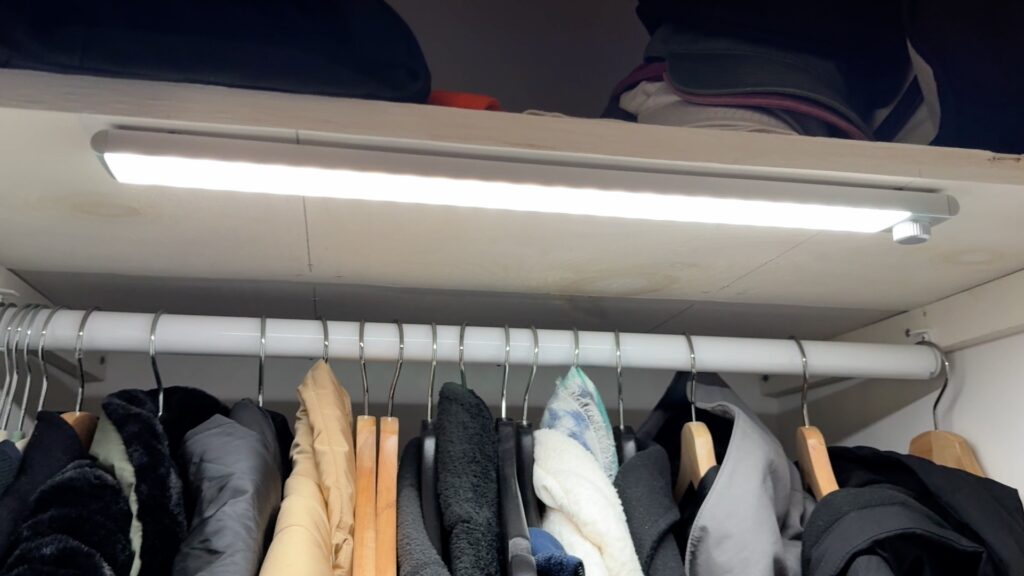
When you shop, look for USB-C charging, magnetic mounting, and a motion light with a manual always-on or auto mode…. like these.
Final Thoughts: Which Setup Is Right for You
The right choice comes down to power, setup effort, and how much control you want.
Pick the setup that fits your closet
- No hub, but you have a nearby outlet reachable: Go with an RF contact switch paired with an RF receiver plug and plug-in LED strip lights. It works out of the box, needs no internet, and gives you true door-triggered automatic closet lighting. If your closet has no outlet inside but there is one just outside the door, this is often the easiest win.
- Smart Home users: Choose a Zigbee contact sensor setup with a smart plug and LED strips. That is the best fit if you want extras like a short shutoff delay or morning-hour suppression so the light does not wake your partner.
- No practical outlet access at all: Use rechargeable motion-sensor lights. They are the best no outlet closet lighting fallback when you cannot reach power inside or near the closet.
One last choice matters: door style. A swinging door usually works great with a magnetic closet lights door sensor on the frame. A sliding door may need a different sensor position, or motion lighting instead.
Keep it simple first. Measure your power options, check your door style, and buy the least complex setup that solves the job.